Content Planning

$0

Content Planning Kanban

Keep all your content ideas, drafts, schedules, and tasks organized in one ready-to-use workspace.

Content Planning Kanban

About template

The Content Planning Kanban Notion template helps you plan, track, and manage all content projects in one workspace.
You can organize ideas, drafts, publishing schedules, and priorities without starting from scratch.
It stays simple for beginners but flexible for power users who want custom boards, dashboards, or workflow views.
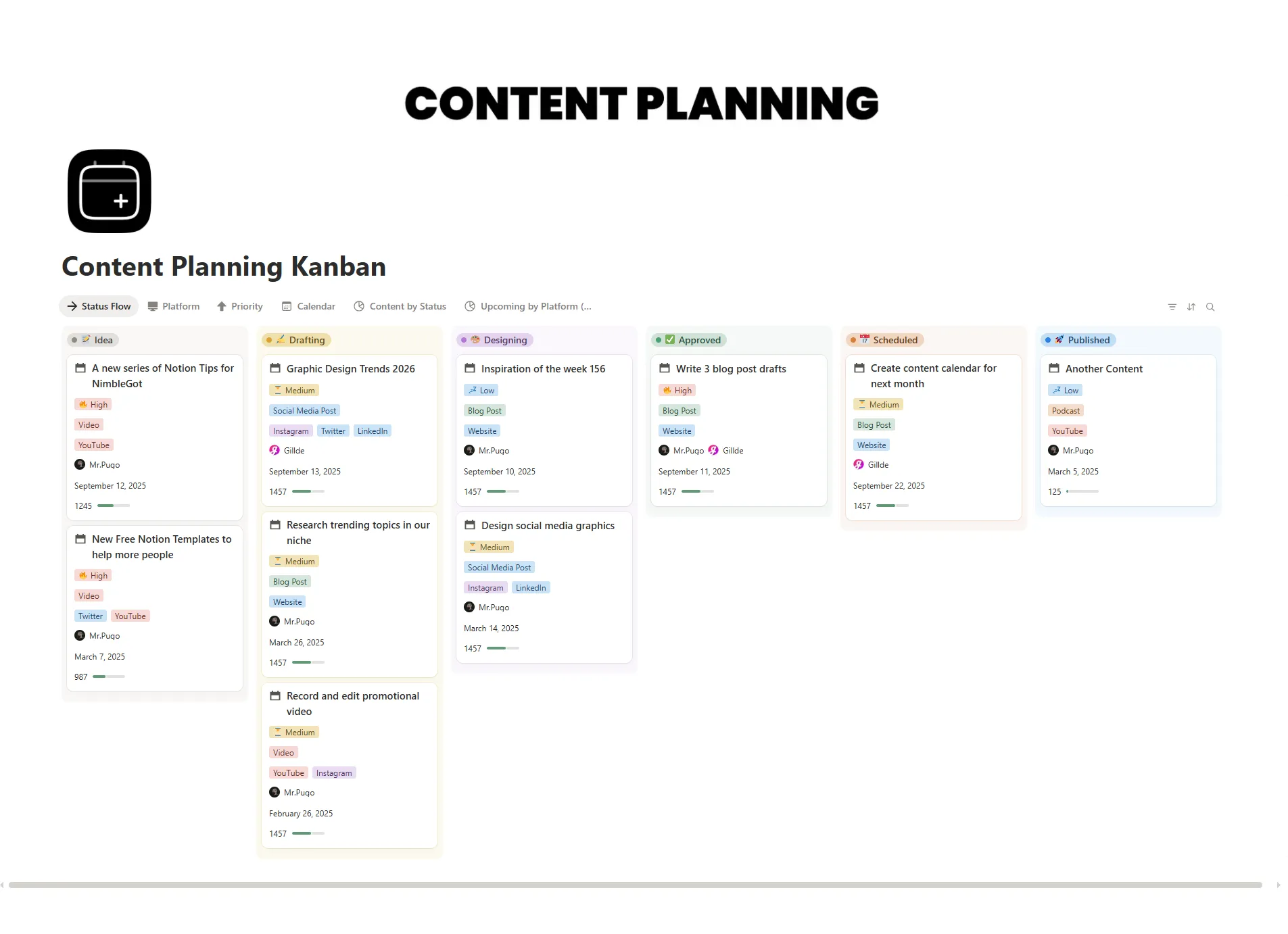
Pre-built Kanban boards let you move content from idea to draft to published seamlessly.
You can track performance metrics, assign tasks, store reference resources, and collaborate with teammates.
This template is free from NimbleGot and fully editable to suit your workflow.
It’s ideal for content creators, marketers, or teams managing multiple projects simultaneously.
Using this template improves consistency, reduces missed deadlines, and keeps your content strategy organized.
What's Inside

Ideas Board

Capture and track new content ideas

Drafts Board

Manage in-progress drafts and revisions

Publishing Schedule

Plan publish dates for each content piece

Content Calendar

Visualize weekly and monthly content plans

Task Assignments

Assign responsibilities to team members

Resources Section

Store reference materials, links, and notes

Key Features

Track content ideas, drafts, and publishing dates in one workspace

Organize content by status, priority, type, or project

Visualize content workflow using Kanban boards, tables, and calendars

Automate recurring tasks, reminders, and deadlines

Customize boards, labels, and views to match your workflow

Share content plans with collaborators or team members

Black November is here 🖤

The Complete Bundle — $179 Instead of $249

Get 26 top systems + 150 mini systems, lifetime updates

Code: BLACKNOV

The Ultimate Premium Notion Templates Bundle

Black November ends Nov 30.