Business and Strategy

$0

Ad Creatives Gallery

A simple Notion workspace to collect, view, and organize ad creatives without messy folders. Perfect for marketers who want a clear, visual system.

Ad Creatives Gallery

About template

Ad Creatives Gallery helps you store, organize, and manage ad creatives directly in Notion.
It provides a central place for images, videos, headlines, copy, and notes for every campaign.
Instead of digging through folders or scattered links, you can see everything in one organized workspace.
The template is simple enough for beginners to start immediately but flexible for power users who want custom views, tags, or filters.
It also helps teams review creative performance, maintain consistency, and reuse top-performing ideas.
This Ad Creatives Gallery Notion template is free from NimbleGot and designed for daily use across campaigns of any size.
What's Inside

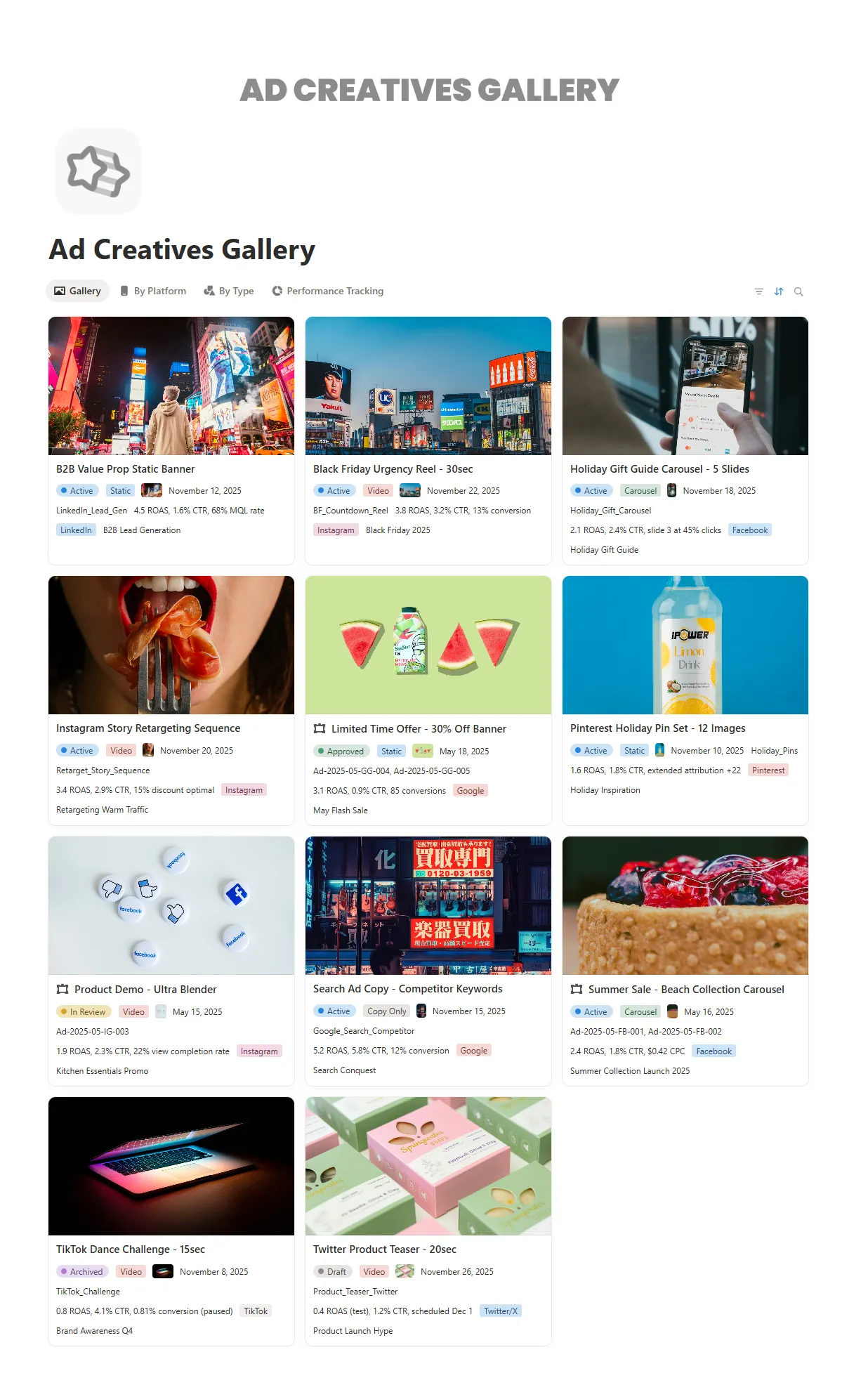
Creatives database

Store images, videos, copy, and headlines

Gallery view

Visually browse all ad creatives at a glance

Campaign tags

Group creatives by campaign, product, or objective

Platform views

Separate ads by platform or channel for easy comparison

Status tracking

Mark drafts, active ads, and archived creatives

Performance notes

Add insights, results, or creative observations

Key Features

Track all ad creatives in one organized space

Organize assets by campaign, platform, or status

Visualize ads clearly using gallery and list views

Automate sorting with filters, tags, and properties

Customize fields and views to match your workflow

Share creative collections easily with teammates