Landing Page Visual Assets
Keep all your landing page images, graphics, and design elements in one clear, organized space.
About template
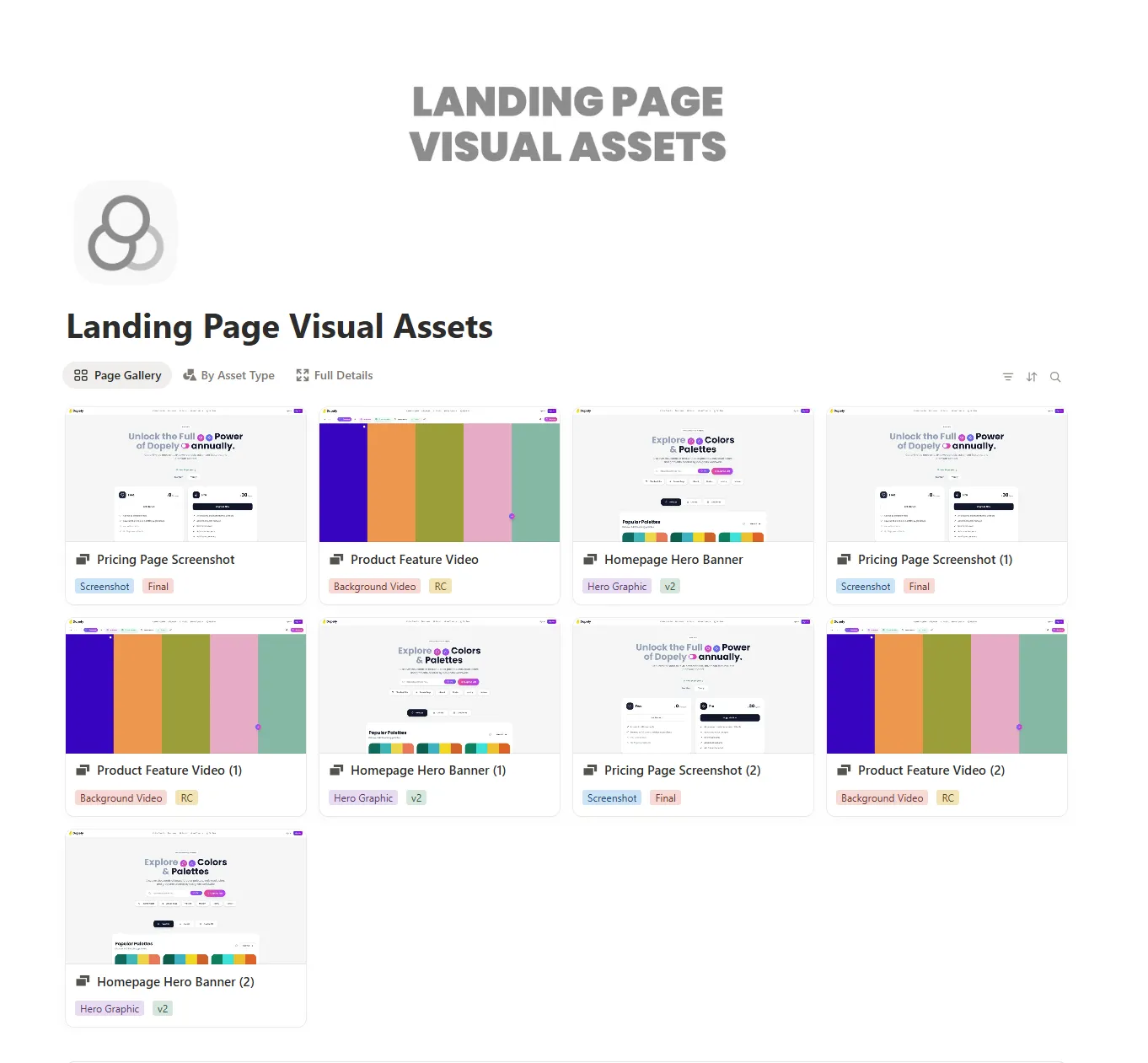
The Landing Page Visual Assets template helps you manage every image, icon, screenshot, and design file used across your landing pages. Instead of juggling folders or searching through old projects, everything stays in one clean and structured workspace inside Notion.
It’s easier than starting from scratch because the layout, properties, and views are already prepared. You can track usage, link assets to pages, and group visuals by purpose without building anything manually.
The template stays simple for beginners, yet power users can expand it with tags, relations, or custom views. It works well whether you manage one landing page or dozens.
And it’s free from NimbleGot.
What's Inside
Asset database
Track all images, icons, and design files
Usage tracker
See where each asset appears across your landing pages
Category views
Organize assets by type, purpose, or format
Landing page link view
Connect visuals to the pages they support
Brand references section
Store logos, color swatches, and style elements
Inspiration boardÂ
Save examples, ideas, and reference visuals
Key Features
Track every visual used on your landing pages
Organize assets by type, format, or project
Visualize usage with simple filtered views
Automate sorting with tags and properties
Customize dashboards as your needs grow
Share asset collections with team members