Productivity and Efficiency

$0

Video Editing Projects

A clean and calm setup that keeps all your video work organized without building anything yourself.

Video Editing Projects

About template

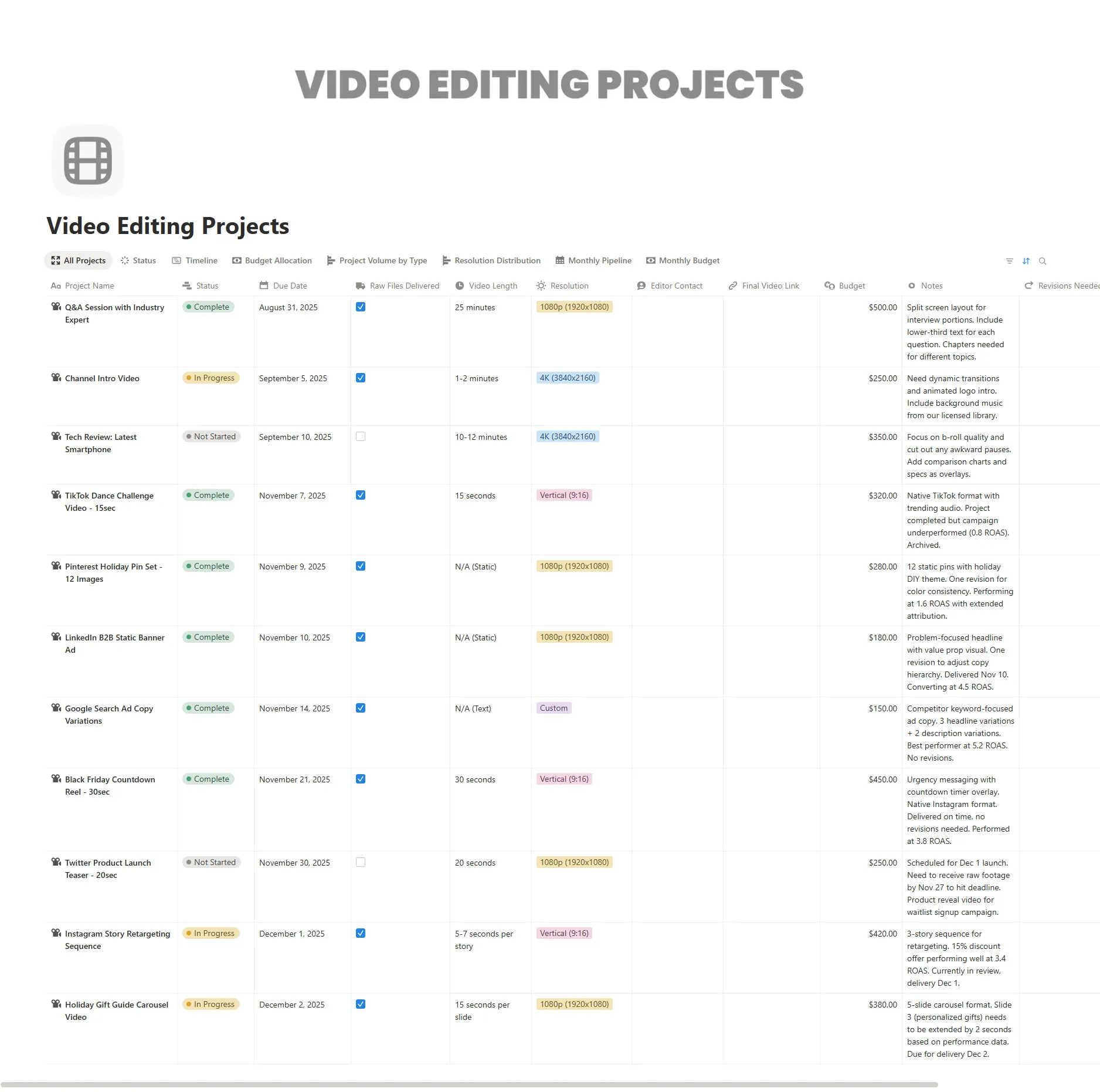
This template gives editors a simple way to collect ideas, plan timelines, and follow every step of the editing process. It removes the clutter of scattered notes, separate task apps, and random file links. Instead, everything sits in one clear dashboard that is easy to adjust as your work grows.

It works well for beginners because the structure is light and easy to understand. At the same time, it offers flexible databases and filtered views for editors who manage many videos or deliver content for different platforms. You can rename sections, add properties, or expand the workflow with your own steps. It’s free from NimbleGot, so you can set it up quickly and get back to making great videos.

This page uses the Video Editing Projects Notion template keyword naturally to help search tools understand what the page is about.
What's Inside

Project database

Ttrack concepts, platforms, deadlines, and progress

Workflow board

Follow each video from idea to scripting to final export

Asset library

Store links to footage, scripts, thumbnails, and files

Task list

Manage edits, revisions, and delivery steps

Content calendar

See upcoming publish dates across platforms

Notes space

Gather outlines, ideas, and client input

Key Features

Track each stage of the editing flow

Organize footage, scripts, and assets

Visualize publish dates and deadlines

Automate simple status updates

Customize fields to fit your workflow

Share dashboards with clients or collaborators